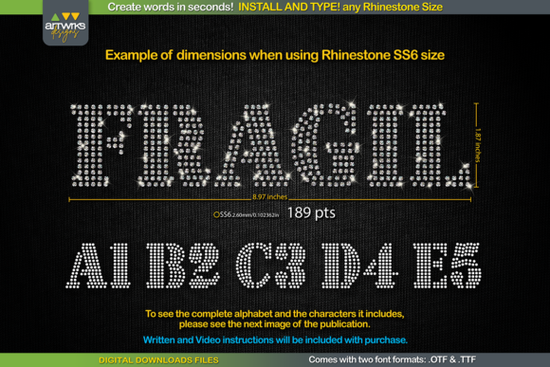
If you're looking for a fast, reliable way to create rhinestone lettering for t-shirts, tote bags, or heat transfer vinyl projects, the RS03 Seal Bold Rhinestone Template TTF Font is built for exactly that. It’s not a design file you trace or edit manually it’s a true typeable font where each character already contains perfectly spaced, stone-ready outlines. Install it once, type any word, adjust the size to match your rhinestone count (SS6, SS10, SS16, or SS20), and you’re ready to cut or press.
How does this rhinestone font actually work?
This isn’t a decorative slab serif font you’d use for logos or headings it’s a functional stencil font designed specifically for bling applications. Each letter is pre-arranged with internal “traps” (small gaps between stones) and consistent spacing so heat-applied crystals or hot-fix rhinestones sit cleanly without overlapping or shifting during application. That means less trial-and-error when aligning stones by hand or feeding designs into your Cricut or Silhouette machine.
The font comes in two formats: .TTF and .OTF, both included in one download. You’ll get clean compatibility across Windows, macOS, iPadOS, and iPhone and full support in Cricut Design Space, Silhouette Studio, Inkscape, Adobe Illustrator, and CorelDRAW. No plugins or extra converters needed.
What size rhinestones does it support?
You’re not locked into one stone size. The RS03 Seal Bold Rhinestone Template TTF Font includes recommended point sizes for four common crystal counts:
- SS6: 189 pt (75 pt in Cricut Design Space)
- SS10: 241 pt (95 pt in Cricut Design Space)
- SS16: 295 pt (116 pt in Cricut Design Space)
- SS20: 388 pt (154 pt in Cricut Design Space)
These aren’t arbitrary numbers they’re tested spacing values that keep stones evenly distributed and prevent crowding at corners or curves. If you’re using a different stone size, the included instruction text file walks you through how to scale correctly in Cricut Design Space (which recently changed how it handles font sizing for rhinestone fonts).
Who is this font best for?
This is especially helpful if you:
- Sell custom rhinestone apparel or accessories and need repeatable, consistent lettering
- Use heat transfer vinyl (HTV) or crystal transfer tape and want crisp, professional-looking text
- Work with craft cutters regularly and prefer typing over drawing or importing SVGs
- Run a small POD shop and want faster turnaround on glittery, textured text designs
- Teach crafting classes and need beginner-friendly tools that produce reliable results
It’s also a good companion to other practical fonts like RS03 Seal Bold Rhinestone Template TTF Font, especially if you're building a library of production-ready stencil fonts.
Installation is simple here’s what to do
No complicated setup. Just follow these steps:
- Close your design software
- Download and unzip the folder
- Double-click the .TTF file and choose “Install” (or right-click → “Install for all users”)
- Reopen your software (Cricut Design Space, Silhouette Studio, etc.)
- Type your word, select the font, and set the point size based on your stone size
- Ungroup if needed (some programs auto-group letters), then send to your cutter or export as SVG/PNG
One thing to keep in mind: this font only supports the characters shown in the preview images standard uppercase/lowercase letters, numbers, and basic punctuation. It doesn’t include extended Latin characters or symbols outside that set. So if you’re designing for multilingual markets, double-check coverage before purchasing.
If you’ve used other rhinestone fonts and run into inconsistent spacing or blurry edges, this version was created with tighter vector paths and cleaner inner traps meaning fewer manual fixes before cutting. It’s also compatible with both matte and glossy crystal types, whether you’re using hot-fix glue, fabric glue, or iron-on tape.
For more options in the same style, you might also explore related slab serif fonts that pair well for mixed-media layouts think bold headlines with subtle shadow effects or matching borders.
Before you start designing: Make sure your cutter’s blade depth and pressure are calibrated for your material (especially for HTV or thin transfer tape), and always do a test cut on scrap first. And remember this is a digital download only. No physical items will be shipped.
Explore Design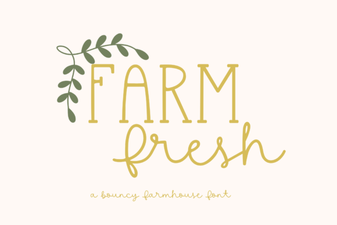 Farm Fresh Font: Rustic Design Inspiration
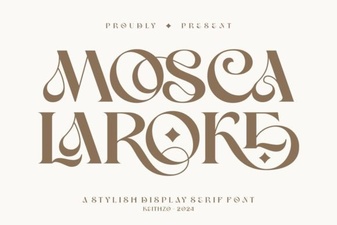 Mosca Laroke Font: Creative Design & Versatile Use
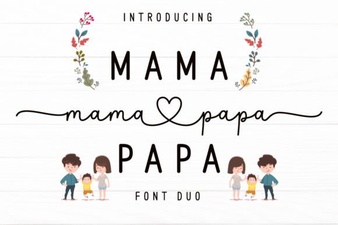 Mama Papa Duo Font: Playful & Versatile Design
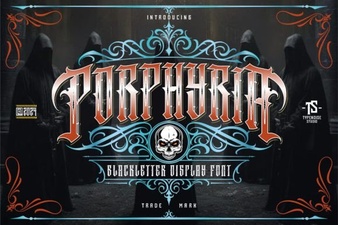 Porphyria Font: Elegant & Versatile Design
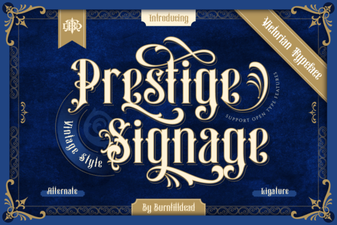 Prestige Signage Font: Elegant Design for Impactful Projects
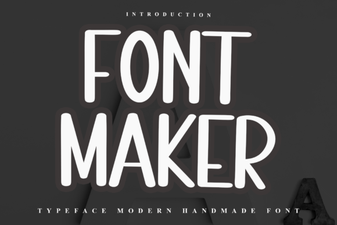 Font Maker Font: Design Your Own Creative Type